UI Breakdown
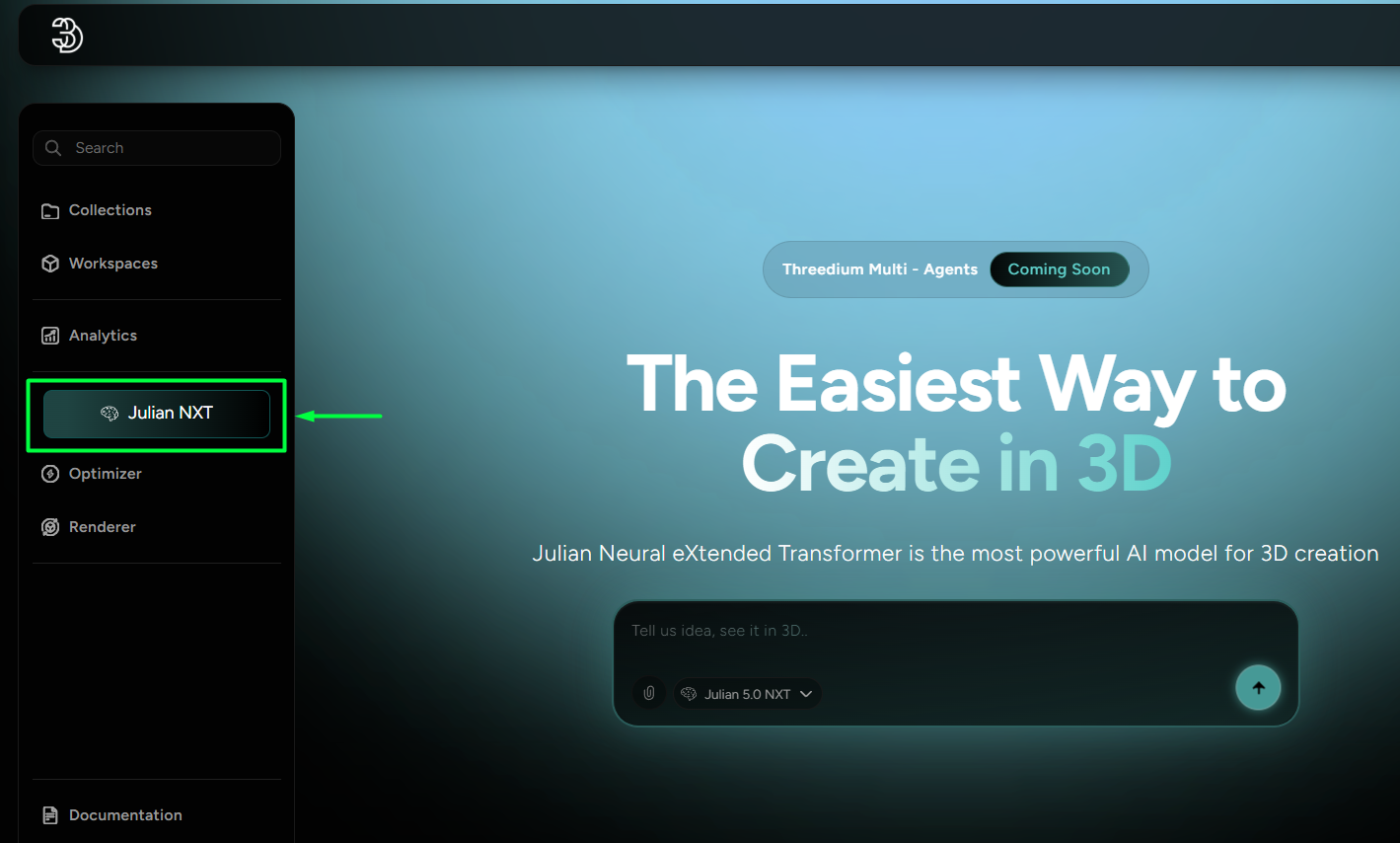
Accessing the Threedium’s AI workflows is available in the right-side dashboard under the highlighted “Julian NXT” - button (Figure 1).
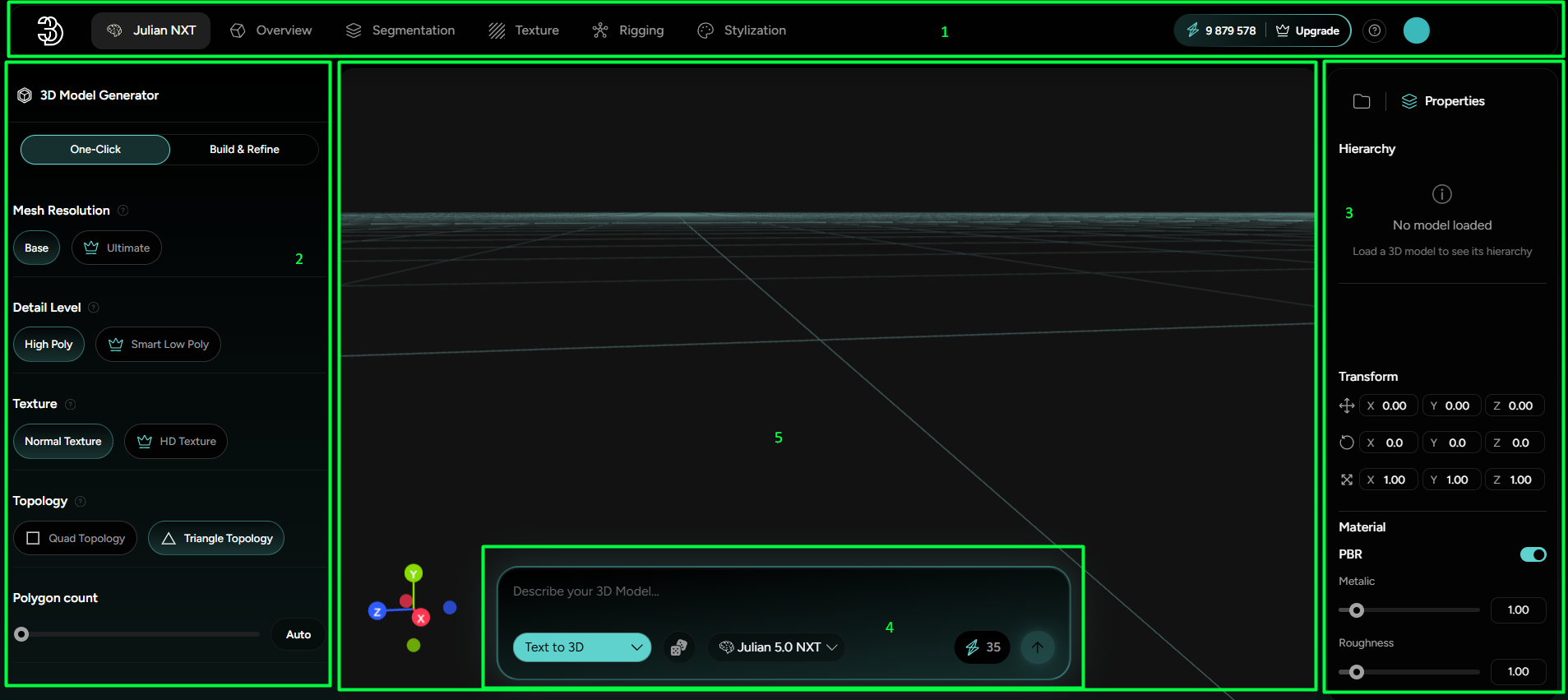
From thereon, an AI Studio opens up, featuring a dedicated workspace with mutually integrated different AI tools for generating and functionalising 3D Models. The interface can be broken down into 5 functional regions (Ordered as Marked in Figure 2):
- Top toolbar, now merged with the Platform’s User navigation that groups different AI tools along with the credit balance info, always providing insight into all available genAI options and their feasibility;
- Left-side Editor Panel that lists all controls for fine-tuning the chosen generative AI final output;
- Right-side Inventory that stores and displays all created and uploaded assets chronologically, along with their modeling data;
- Bottom Prompt box that translates the worded ideas into AI generated models;
- 3D space that displays the uploaded or generated 3D models.