Augmented Reality
Augmented Reality technology (also referred to as just “AR”) is an immersive approach to e-commerce that allows life-like user experience and offsets much of the digital shortcomings. As a well-rounded Web3D tool, Threedium Platform offers an integrated AR feature that requires no special coding.
Introduction
Augmented Reality (AR) is an engaging technology that allows viewing any piece of computer graphics in the user’s real-life surroundings via AR-compatible devices (any device with a native camera or a VR headset). It found a wide application in e-commerce, from Spacial viewings to Virtual Try-Ons, where it helps users and potential customers to form solid projections and gain a better grasp of a product. Possibilities of AR usage are endless, and as this technology develops, so does the Threedium Platform’s support for it. This document will go into more detail on how to implement AR as a part of a sale package, using the available Threedium Platform options.
Location
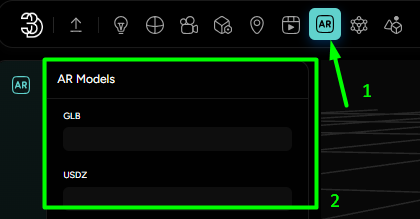
Augmented Reality options are available in the Main Ribbon of Threedium Platform under the
AR icon (Marked with “1” in Figure 1), where AR Models options open in the Left-side
Editor Menu (Marked with “2” in Figure 1).
Implementation
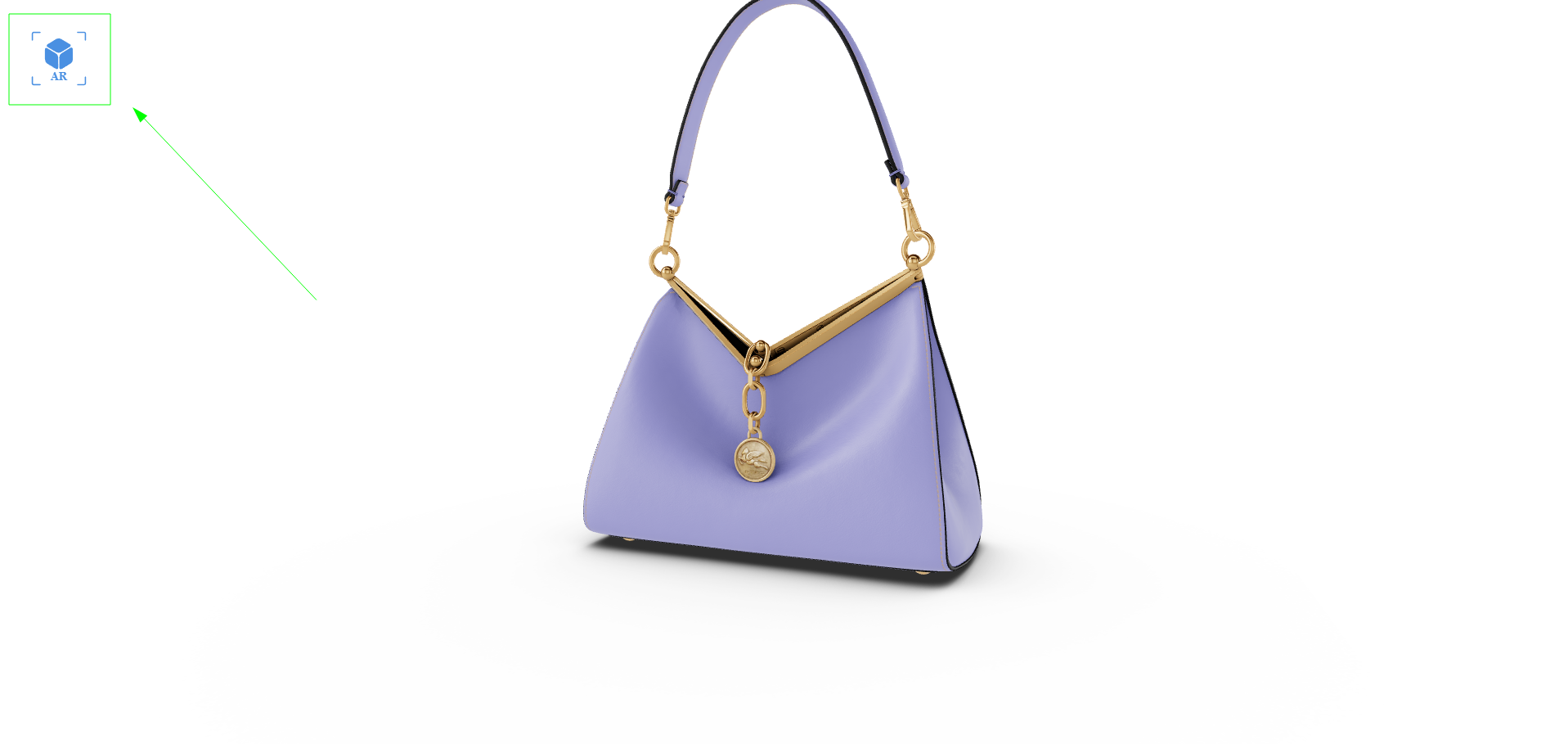
To implement the Augmented Reality feature, all it takes is for a User to slot in the GLB and USDZ files of the Workspace’s scene to their corresponding upload slots. This will automatically generate a scannable QR-code in the Distribution that will enable the AR mode. Augmented Reality can also be enabled via a case-coded Call-to-Action, but this document covers only the Threedium Platform-side of implementation.
GLB and USDZ files: Reasons and Requirements
Both of the aforementioned filetypes are supported by different Operating systems and both serve the same purpose of reaching their respective Mobile device audience.
GLB filetype is supported by the majority of operating systems and is readable by Android devices, while the USDZ filetype is readable by Apple devices. Generally speaking, there aren’t any strict requirements for AR file preparation, other than what generally goes for the standard performance-friendly practices. Threedium Platform’s AR feature supports anything that comes in specified files and it will faithfully translate them from their native modeling software outcome to the digital and mixed reality spaces. Optimization is advised mostly for smaller-device capacities, and that is something that we have covered on multiple occasions so far.
Standard practices
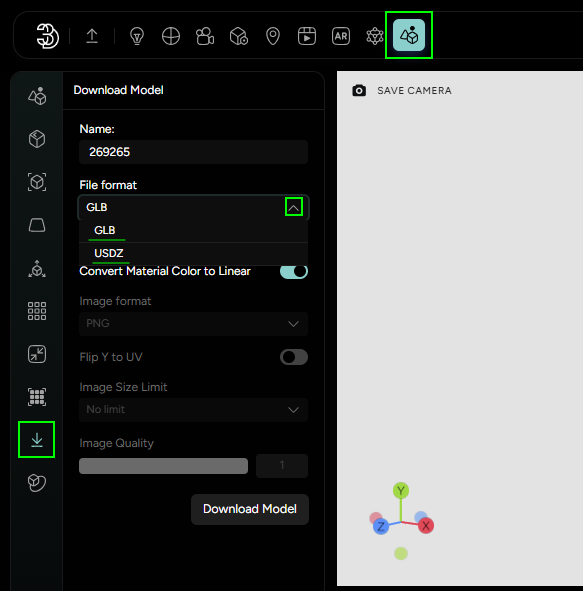
- Threedium Platform offers direct download of the Workspace’s scene in the specified file formats in the Scene’s Download options (Figure 3). This is a quick way to obtain the AR-ready files;
- USDZ files have proven to be trickier to set up, because the USD format tends to be too literal in packing the standard shader parameters, and usually requires a lot of manual adjustments before export. For Softwares that offer just the .usd export extension, we recommend just adding the -z lettering for a zipped and easy-to-transfer version.
AR On-the-fly
In situations where you have a 3D configurator that offers a wide array of custom options, creating and managing individual GLB and USDZ files for each possible variation can be a daunting task. Threedium Platform enhances user engagement by streamlining the creation of Augmented Reality experiences with our AR On-the-fly capability.
Dynamic AR Generation
AR On-the-fly eliminates the need for pre-built AR assets for every possible configuration. Instead, it constructs the AR experience in real time, reflecting the exact setup the user has created within the 3D scene. This is particularly useful for platforms that allow extensive customization and wish to offer instantaneous AR visualization of those unique choices.
Utilizing the API for AR On-the-fly
Enabling AR On-the-fly requires developer intervention to integrate our powerful API. Through this integration, the Threedium Platform seamlessly translates the viewer's current configuration into an AR model, ready for immediate use on different devices.
For developers looking to implement this feature, documentation is available to guide you through the process. The integration workflow is designed to be straightforward, ensuring a smooth path from concept to execution. To access the implementation details and commence with integrating AR On-the-fly, please follow this link: LINK.