Camera Controls
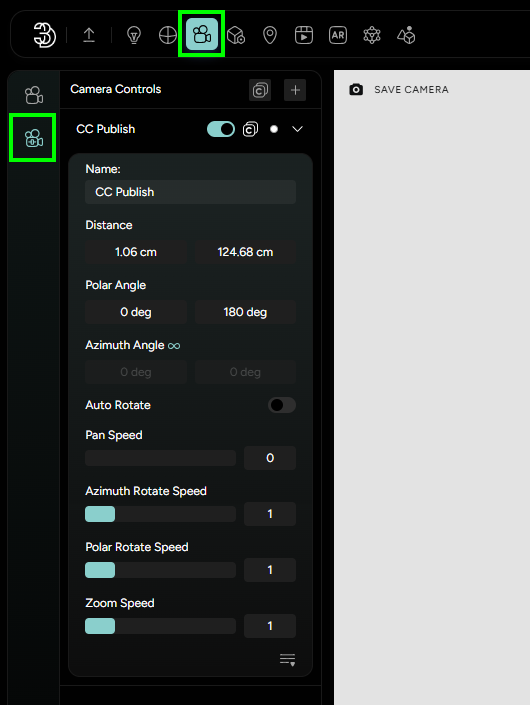
Users can create an unlimited number of CCs. New one is created by clicking on the + button.
Camera Controls allows users to set some limitations to the camera movement. Options:
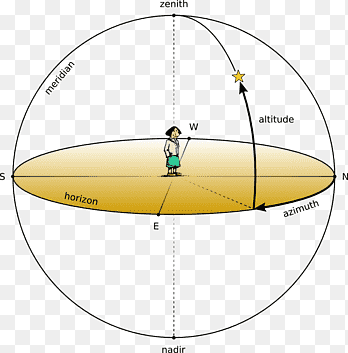
Name- set unique names for different camera control configurations.Distance- defines the maximum zoom in and zoom out values. Lock the maximum zoom in so the user cannot go through the mesh, or limit the maximum zoom out so end users cannot go too far from the modelAzimuth angle- defines the rotation around the Y-axis, by default user is able to rotate left and right to infinity. Disable this option by clicking on the infinity sign (it will turn to grey) and setting the exact angle in which camera can be moved.Polar angle- controls the elevation of the camera, similar to tilting a camera up and down or changing the pitch of an aircraft. Values 0-90 degrees is movement above the XZ plane, and 90-180 is bellow the XZ plane.
Autorotate- enabling autorotation will lead to camera constantly rotating around the Y axis. Users can change direction and speed of the rotation.Pan Speed(activate panning of the camera - right mouse click dragging)Azimuth and Polar Rotate SpeedZoom SpeedZoom to CursorSmooth Zoom(damping activation) +Damping Factor(how slow/fast the camera will stop after the scrolling stops)Dragging Damping Factor(damping of the panning)