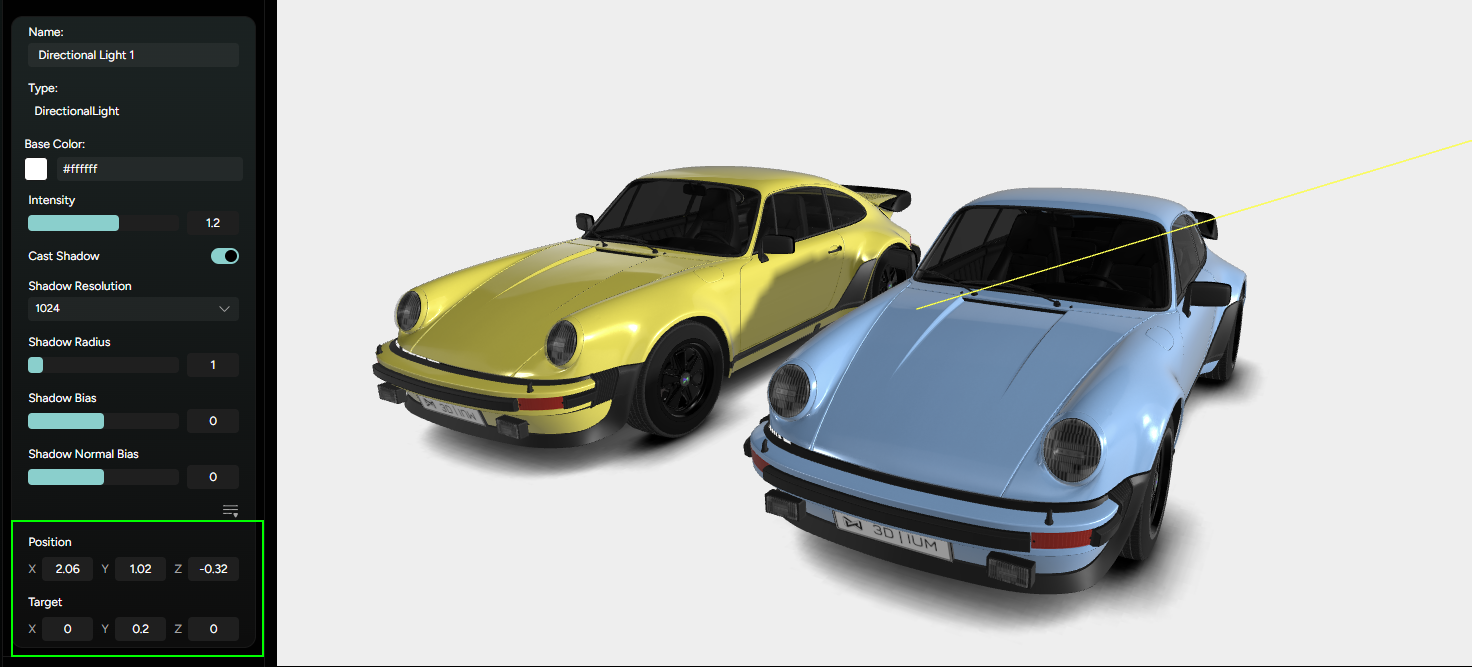
Directional Light
Directional Light simulates a distant, infinitely large light source - like the sun. It emits parallel light rays across the entire scene, producing strong highlights and defined shadows. You can enable it by toggling it on in the Lighting tab. You can expand the panel that reveals a range of settings.
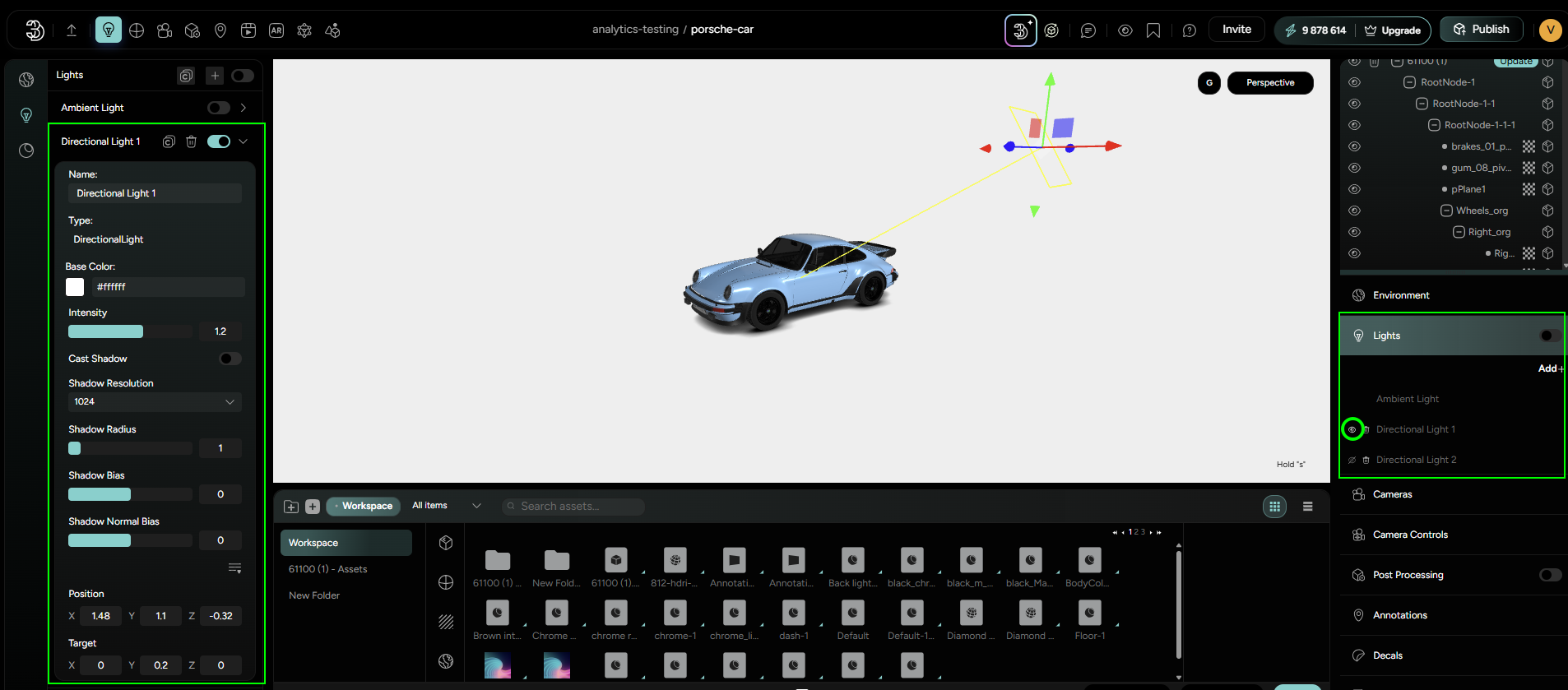
Available settings:
Name- assign custom labelBase color- control the color of the light raysIntensity- adjust the strength of the lightCast Shadow toggle- enables or disables the shadow casting for directional light.
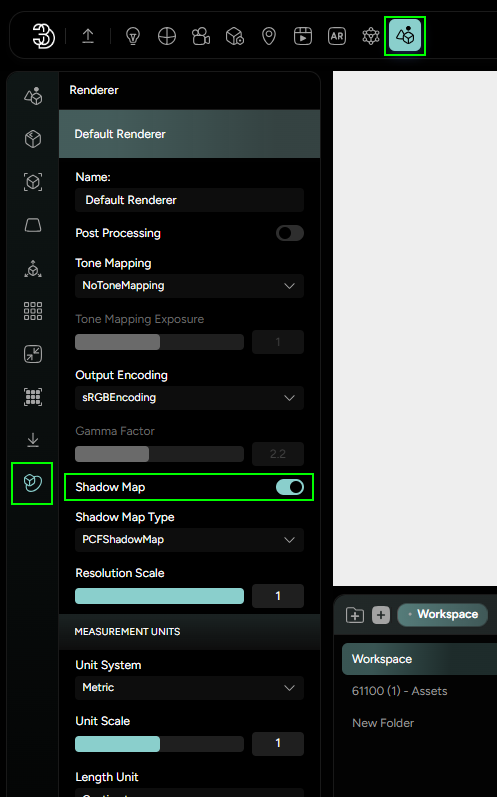
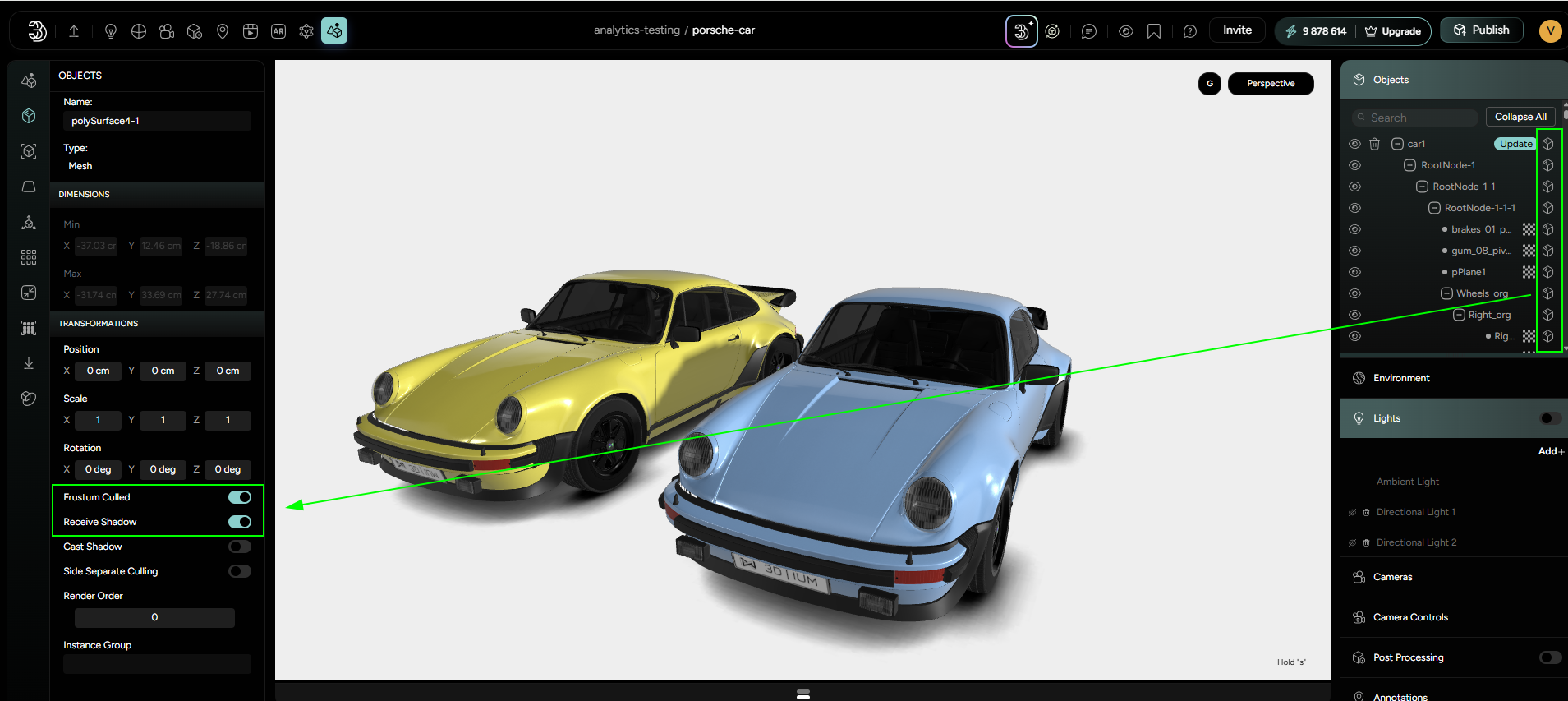
For this option to work, some additional steps need to be taken.
- The user needs to enable shadow mapping in the Renderer options. This can be found in the Scene → Renderer section (Figure 8).
- Additionally, parts that need to receive or cast shadow need to have that option enabled in the Object section (Figure 9).
When everything is set, shadows will be visible in the scene.
Shadow Resolution- determines the level of detail in the shadows. Higher resolutions produce sharper, cleaner shadows but may require more performance resources.Shadow Radius- controls the softness of shadow edges. Increasing the radius creates a blurrier, more natural-looking shadow, while a smaller value keeps shadow crisp and defined.Shadow Bias- helps reduce shadow artifacts. It adjusts how far the shadow starts from the surface receiving it.Shadow Normal Bias- a secondary control to fine-tune the shadow’s placement relative to the surface, further helping to clean up the visual artifacts.
The Position and Target settings for Directional Light are available under a separate section, which you can access by clicking on the icon with three horizontal lines. This expands the transform settings, allowing you to precisely adjust how the light is oriented within the scene.
Position- defines the virtual origin of the directional light. Changing its position affects the angle at which light enters the scene.Target- This defines the point in the scene that the light is aimed at. Adjusting the target helps control where shadows fall and which surfaces are strongly illuminated.
Both Position and Target come with individual X,Y and Z input fields, where you can manually enter exact coordinates.