Rectangular Area Light
RectArea light emits light from a flat, rectangular surface, creating a soft, even spread of illumination across your scene. Unlike point or spotlights, it doesn’t radiate light in all directions. It lights in a specific direction and shape, making it perfect for mimicking real-world lighting panels, windows, or softboxes in photography.
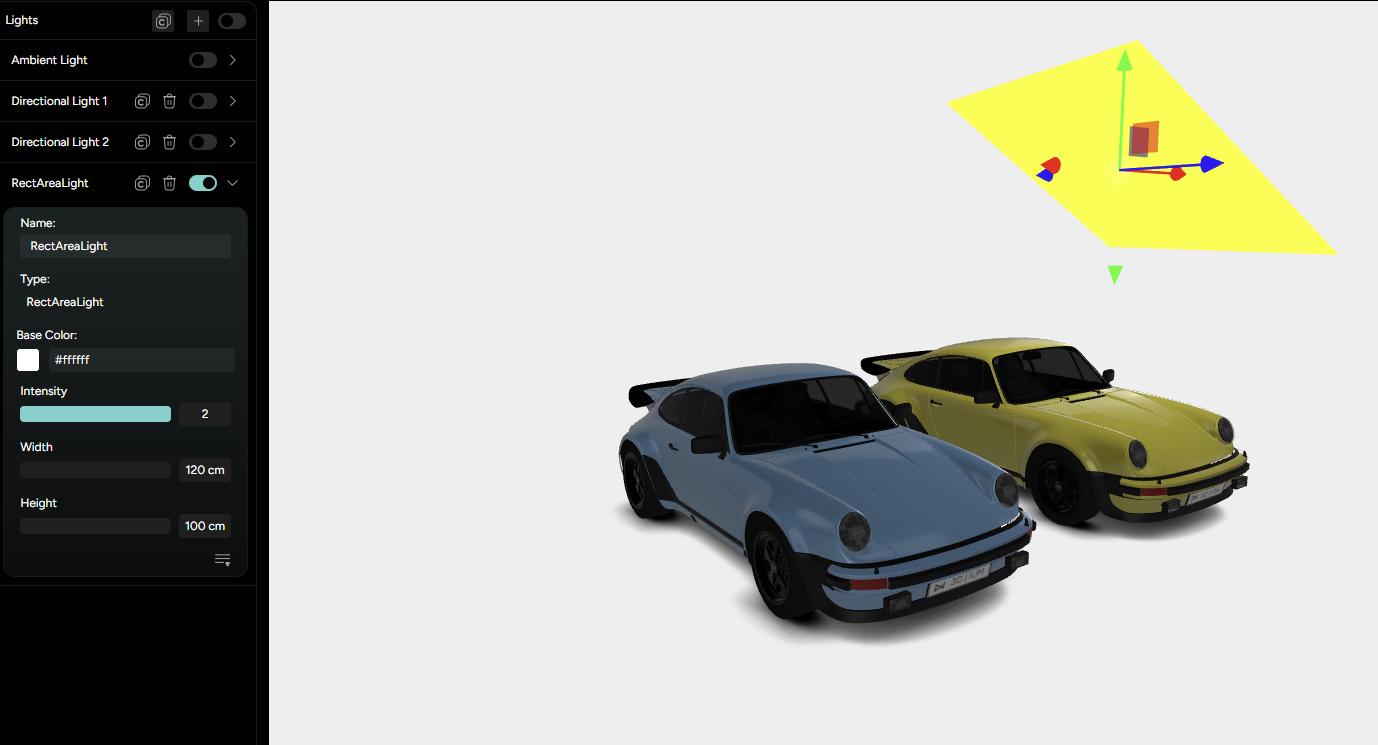
To create a RectArea light, click the plus icon in the Lighting tab. In the pop-up window, give your light a name and select RectArea from the available light types.
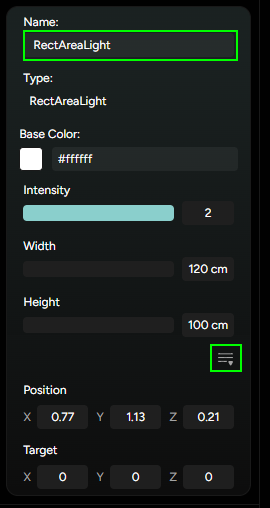
After adding the light, the following setting will become available (Figure 18.):
Name- useful for organizing the lights within your sceneBase color- sets the light’s color. This determines the overall tone of the emitted from the rectangular surface.Intensity- controls how bright the light appears. A higher value results in a stronger illumination.Width/Height- define the physical size of the rectangular light source. Larger values produce softer, more evenly distributed lighting, while smaller sizes create a tighter light falloff.
Just like with Directional and Spotlight types, RectArea light has both Position and Target controls that you can access via the three horizontal lines icon. This allows you to place and aim the light precisely in 3D space.
Position: determines where the rectangular light is placed.Target: specifies the direction the light is facing - what it’s illuminating.