Spotlight
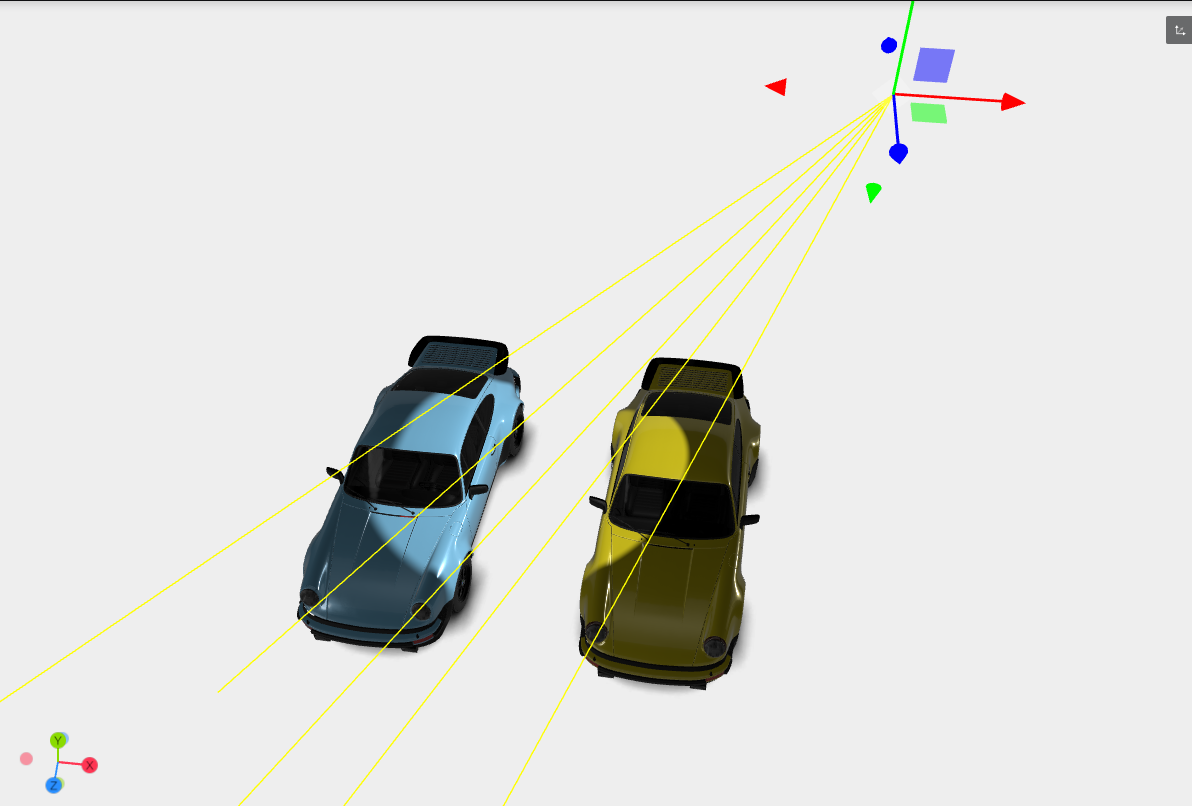
Spotlight is a focused light source that emits a cone-shaped beam of light from a single point, similar to flashlight or stage spotlight. Spotlights offer a powerful way to create dramatic scenes and highlight particular aspects of a model or environment.
- To add a Spotlight, click the plus icon in the Lighting tab. In the pop-up window, assign a name and select SpotLight as the light type from the list of options.
- Once added, the Spotlight panel reveals a set of settings. It includes all the standard controls found in Directional and Point lights.
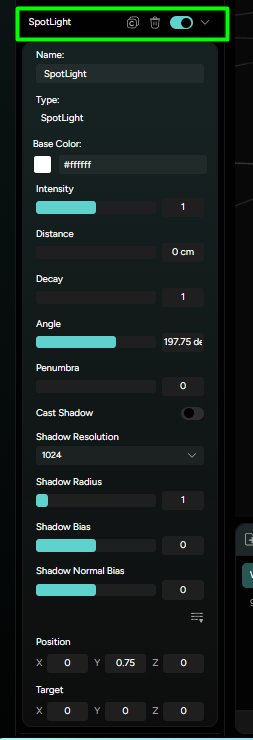
Spotlight - specific settings:
-
Angle: Controls the width of the light cone. A smaller angle produces a narrow, focused beam, while the wider angle spreads the light out more, covering a larger area. This is useful for directing attention to a specific spot in the scene -
Penumbra: Penumbra specifically refers to the soft edge of the spotlight's beam, where the light begins to taper off before completely fading out. It is the region where the spotlight’s light transitions from its full intensity at the center of the beam (umbra) to no light outside the edge of the cone of light. Adjusting the penumbra attribute of a spotlight will dictate how soft or hard the edge of the light cone appears, influencing the softness of the shadows.
Just like with Point Light, SpotLight includes a Position and Target settings with X,Y and Z fields for precise placement.
This combination of focused control and sharp lighting makes Spotlight perfect for emphasizing key elements for adding drama to your 3D scenes.