Distribution
Understanding Distribution of a Published Workspace
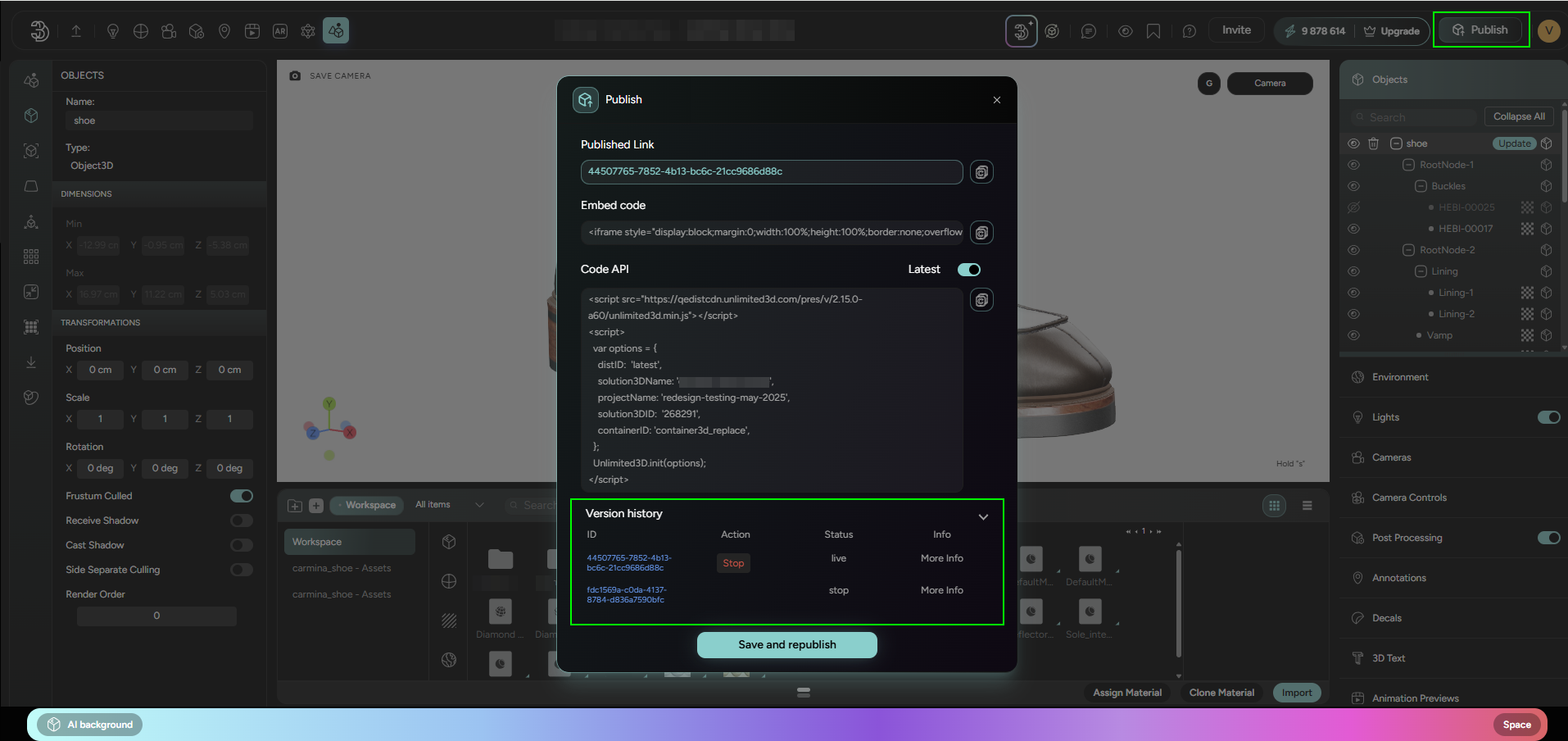
When a workspace is published on Threedium Platform, it becomes accessible as a live distribution:
-
Independence of Workspace and Distribution: It's important to note that the working workspace and its live distribution are two separate entities. Making updates to the workspace itself will not impact the live distribution. Only through the action of (re)publishing does the live version get updated.
-
Lifetime of a Distribution: After republishing a workspace and creating a new live distribution, the previously active distribution remains available for an additional 5 days. During this grace period, users have the option to roll back to the older version if necessary. If no action is taken after republishing, once the 5-day period expires, the given distribution URL (associated with an old
distribution ID) will cease to be active.
Distribution URL Structure
-
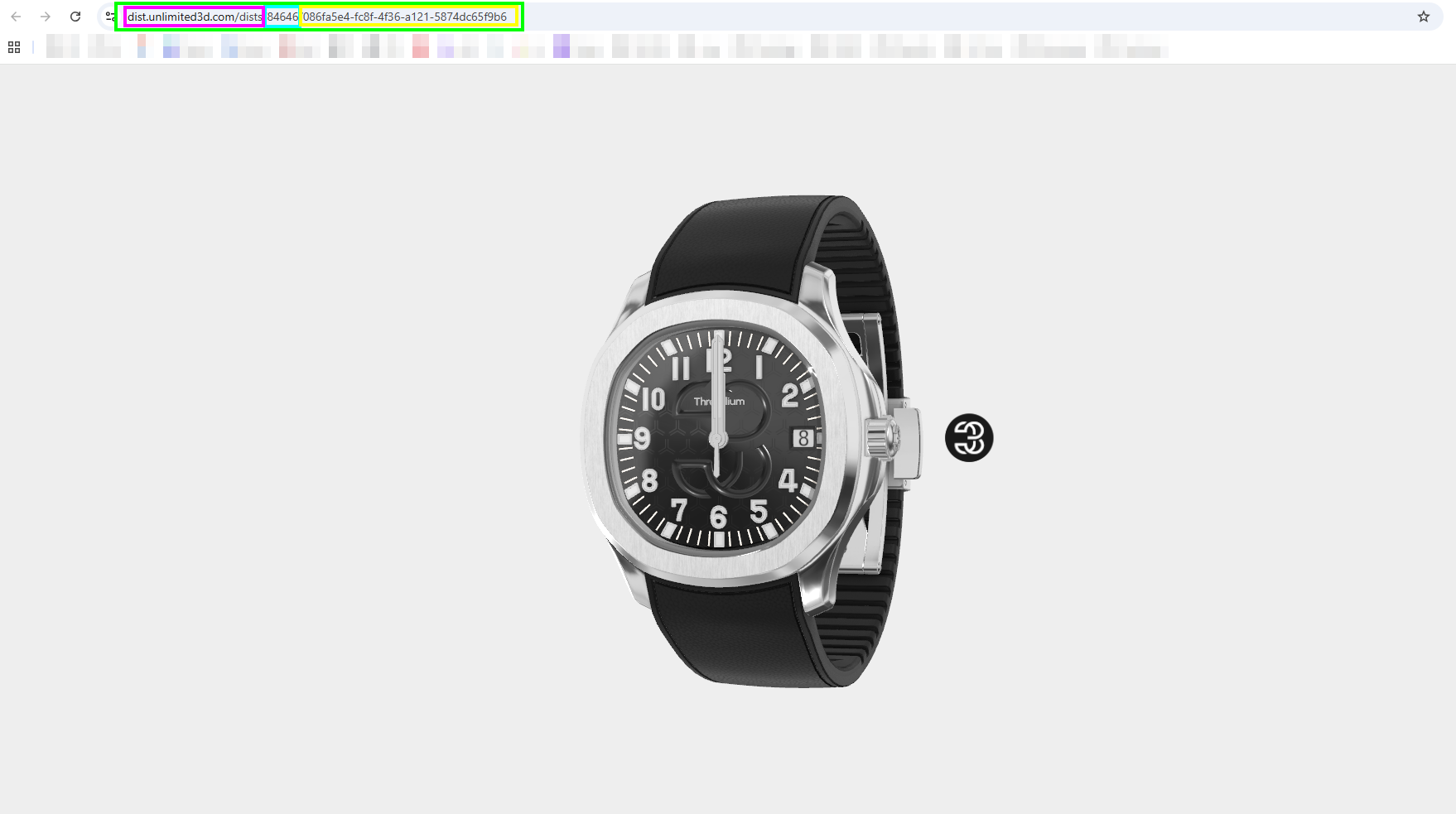
Clicking on the latest distribution ID takes you to a unique webpage. The URL follows this pattern:
- dist.unlimited3d.com/dists/[
WORKSPACE_ID]/[DISTRIBUTION_ID]
- dist.unlimited3d.com/dists/[
-
To always access the most recent version of the workspace, replace the distribution ID with the word
latest. The URL will then look like this:- dist.unlimited3d.com/dists/[
WORKSPACE_ID]/latest
- dist.unlimited3d.com/dists/[
Distributing a URL with 'latest' in the path ensures that whoever you share it with will always view the most recent version of the workspace. As the workspace evolves and is republished, this URL remains an evergreen link to the latest live distribution, simplifying the process for users and viewers alike.
Stopping Distribution
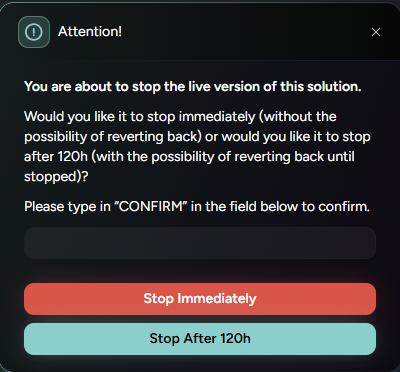
There are 2 different ways to stop a distribution:
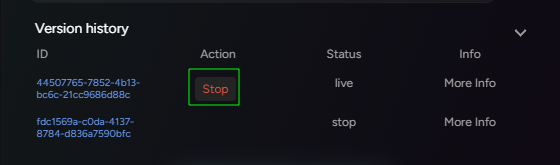
Stopping Immediately- Stopping distribution immediately means to DELETE it. It will no longer be accessible, and this action is permanent.
Stopping after 120h (5 days)- The distribution will be deleted after 5 days if in the meantime user does not revert this action.
Reverting to Old Distribution
After republishing the workspace, a new distribution is created and that version by default serves as the latest one. However, users will have 120h (5 days) to revert back to the version that was active before republishing, and therefore avoid it being permanently deleted.
It is important to note that this DOES NOT revert workspace to the previous state from which that distribution was created.
It only affects the distribution!