Projects and Workspaces
Understanding the organizational structure of Threedium Platform is key to managing your work effectively. At the heart of this structure are Projects, which serve as the primary containers for organizing your 3D content and assets.
Within each Project, you'll work with Workspaces, where each Workspace represents a distinct 3D scene that you will build and develop.
This section explains how to create and manage your Projects and Workspaces on Threedium Platform.
Project
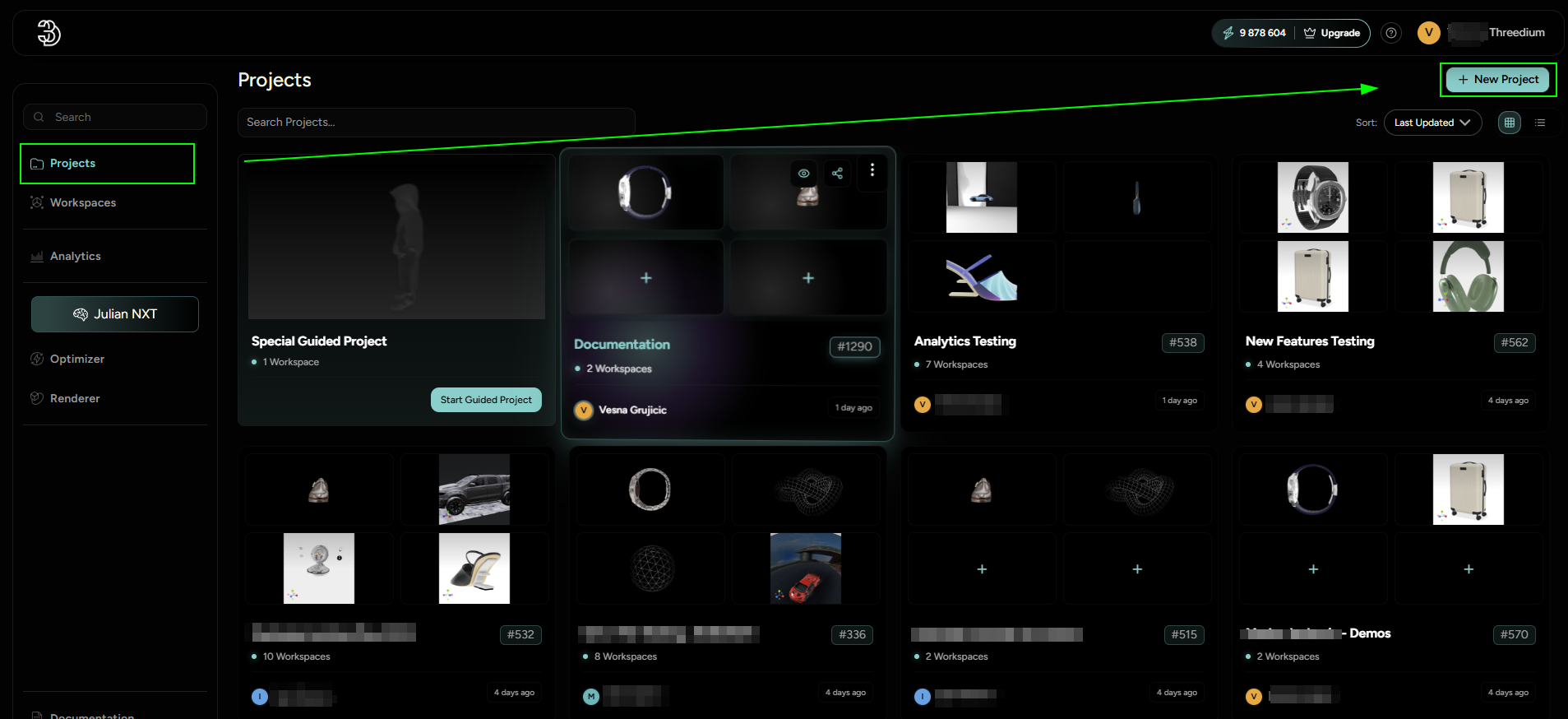
A Project is your organizational hub with three key benefits:
- Project as an Organizational Hub: Think of a 'Project' as a container that houses all of your 3D scenes, referred to as 'Workspaces'. One Project can hold an unlimited number of Workspaces.
- Asset Sharing Efficiency: Workspaces contained within the same Project can effortlessly share assets. This means that once you've imported materials, textures, images, and other resources into one Workspace, they can be reused across others, eliminating the need for redundant uploads.
- Collaboration Made Easy: Projects are collaborative hubs. You can invite team members to join your Project, enabling them to contribute across all the Workspaces it contains. This fosters teamwork and collective creativity, streamlining the development of complex 3D scenes.
Workspace
A "Workspace" is the interactive environment where real 3D work happens. Whether you're setting up a 3D product viewer or a 3D configurator, all the necessary components are contained within this Workspace - models, materials, animations, and configurations for production use.
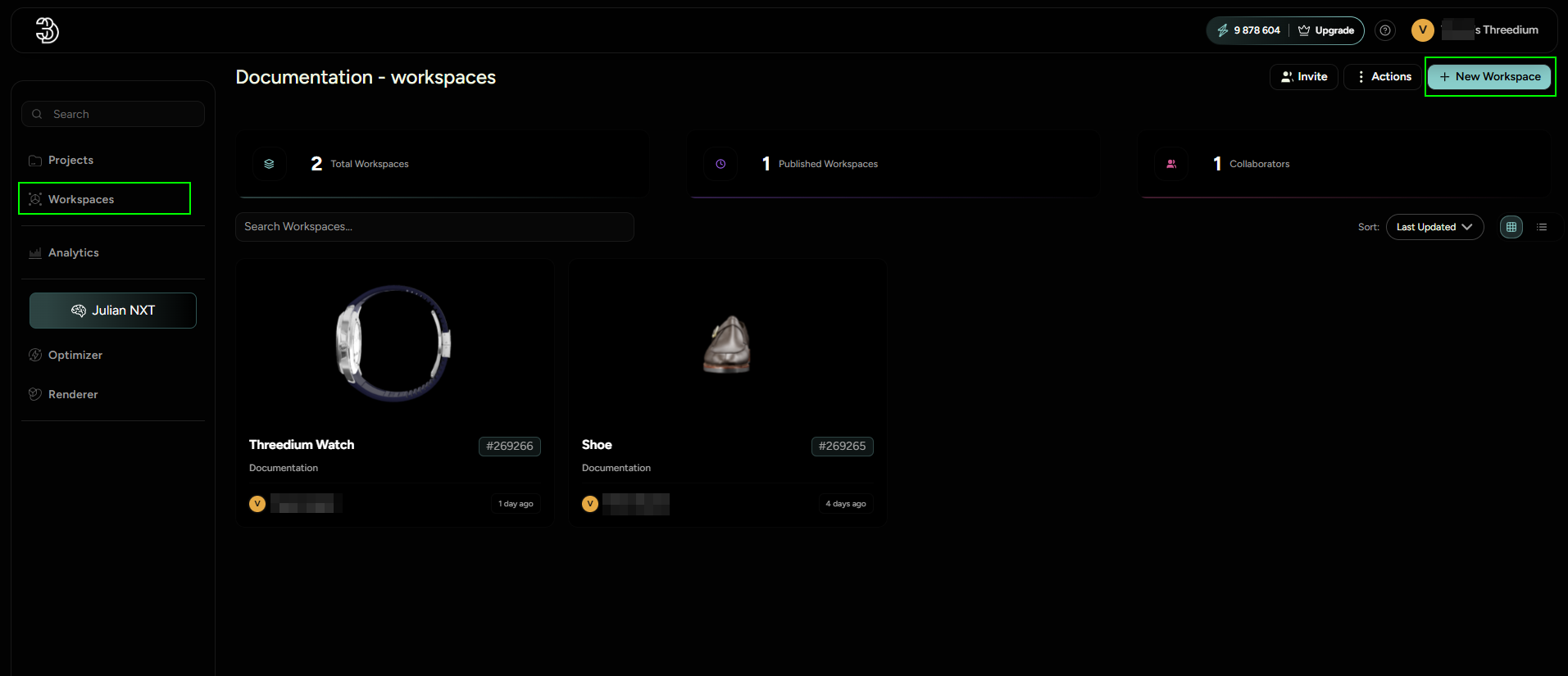
Creating a Workspace within a Project is a straightforward process. After navigating into a Project, select the New Workspace button to initiate the creation of a new Workspace. Alternatively, you can start by clicking on "Workspaces" in the top left corner, create a new Workspace there, and then assign it to an existing Project of your choice.
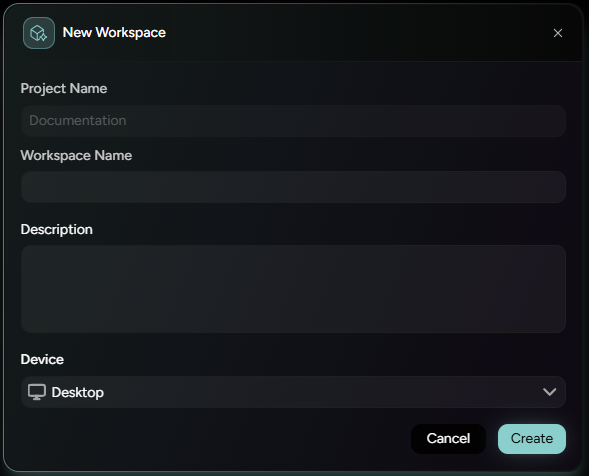
At the creation of a new 'Project' or 'Workspace', a unique identifier - ID is assigned. This ID is essential for maintaining a clear record and organization, allowing for straightforward identification, management, and integration of Projects and Workspaces within Threedium Platform.