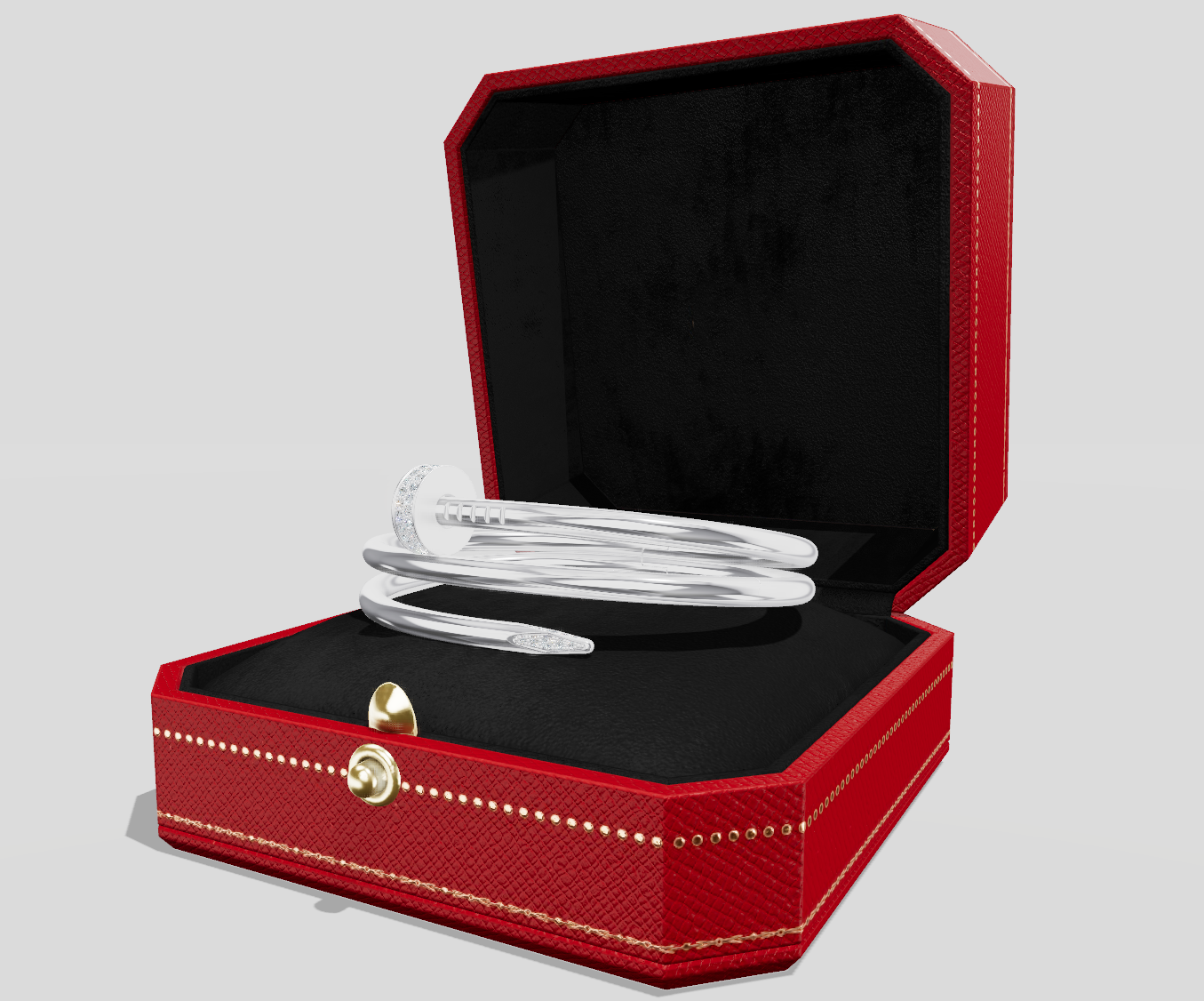
Jewellery
General guidelines for modeling
In this document, we specify all the necessary properties of 3D assets for the Jewelry category to be eligible for use within Threedium's infrastructure
Formats
Threedium Platform is compatible with GLB, FBX and OBJ file formats.
- GLB is a good starting point, Threedium Platform is using GLTF standard as well, so this workflow should provide a seamless experience.
- FBX can still carry materials and necessary textures together with geometry, but due to different versioning of FBX files, some differences may occur.
- OBJ format can be uploaded with a .mat file as well, to load the necessary textures and material information.
Asset file size
- The optimal file size should be up to 5 MB per jewelry asset. Taking into consideration how a wide variety of shapes is possible, as well as the high number of individual diamond geometries, this limitation is not applicable. Regardless, we should try to aim for it.
- For assets that are done without textures (configurator specification), they should be under 5mb.
- Threedium Platform requires a special workflow for metal and diamond materials, so textures should be kept to the lowest possible size, 512x512 is the preferred size.
Geometry
- No n-gons are allowed, either quads or triangles should be used to ensure good topology and any possible edits in the future.
- Good flow of topology, no sharp creases, sharp angles, or polygons protruding through the backside.
- Optimization is something to keep in mind while modeling. Assets are likely going to be used across the spectrum of Web3D integration (viewers, configurators, AR, banner ads).
- The physical sizing of the jewelry is very important. The asset needs to have proper real-life dimensions in CM. This is mandatory since assets can be used for virtual try-on experiences
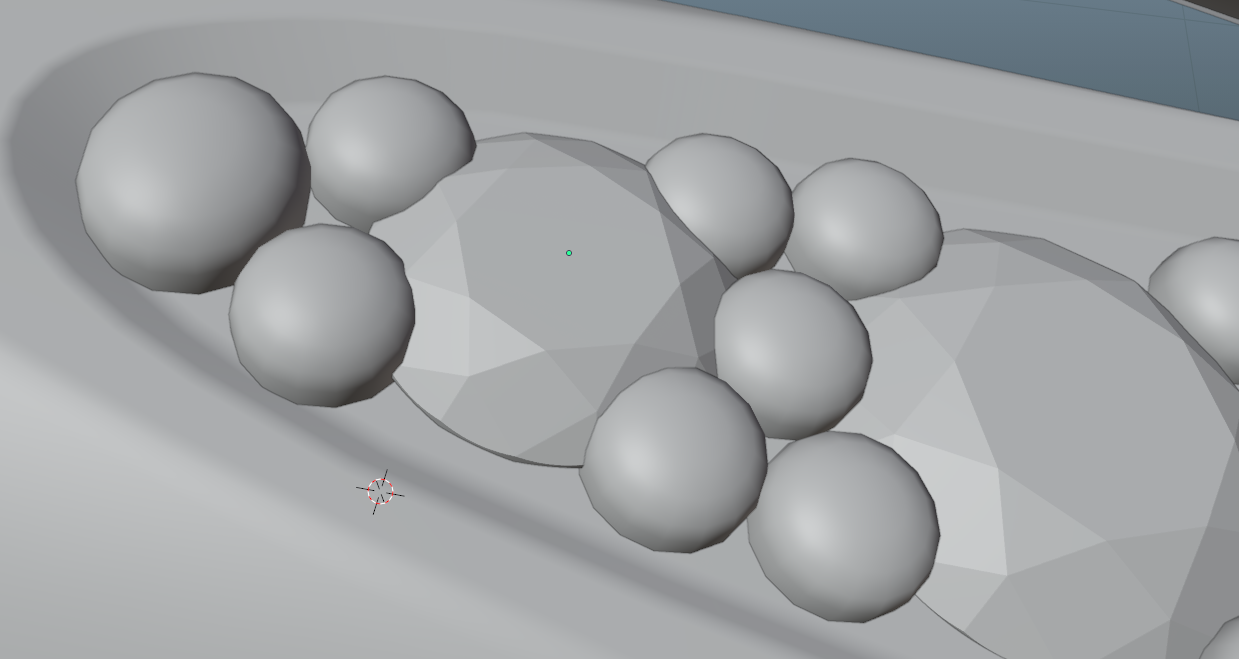
- Pins that hold the diamonds need to be modeled properly, and diamonds need to be inserted correctly in between. Diamonds need to overlap by some amount with the holding pins.* Dimensions of the asset should match real-life dimensions, this is especially important for AR models.
Polycount
- Since we are using webGL we are limited in terms of performance and we need to spend some time to optimize the assets correctly. Polycount is an important parameter that should be considered when creating assets. They should be easily optimizable in case that we need to reduce the polycount.
- Preferred triangle count for watch assets can be categorized by their complexity:
Tier 1- up to 30 000 trianglesTier 2- up to 60 000 trianglesTier 3- up to 130 000 triangles (best performance/quality)Tier 4- up to 400 000 triangles (for extremely complex or unique assets, a good example would be jewelry with chain links, rings containing large numbers of diamonds, pearls, etc…).
Detaching/separating parts and grouping
- Diamond shapes require a specific workflow for detaching and naming. The first step is to detach all diamond shapes as separate parts. Their origin/pivot must have the same orientation locally. Only scale can be applied, while the location and rotation parameters should not be reset.
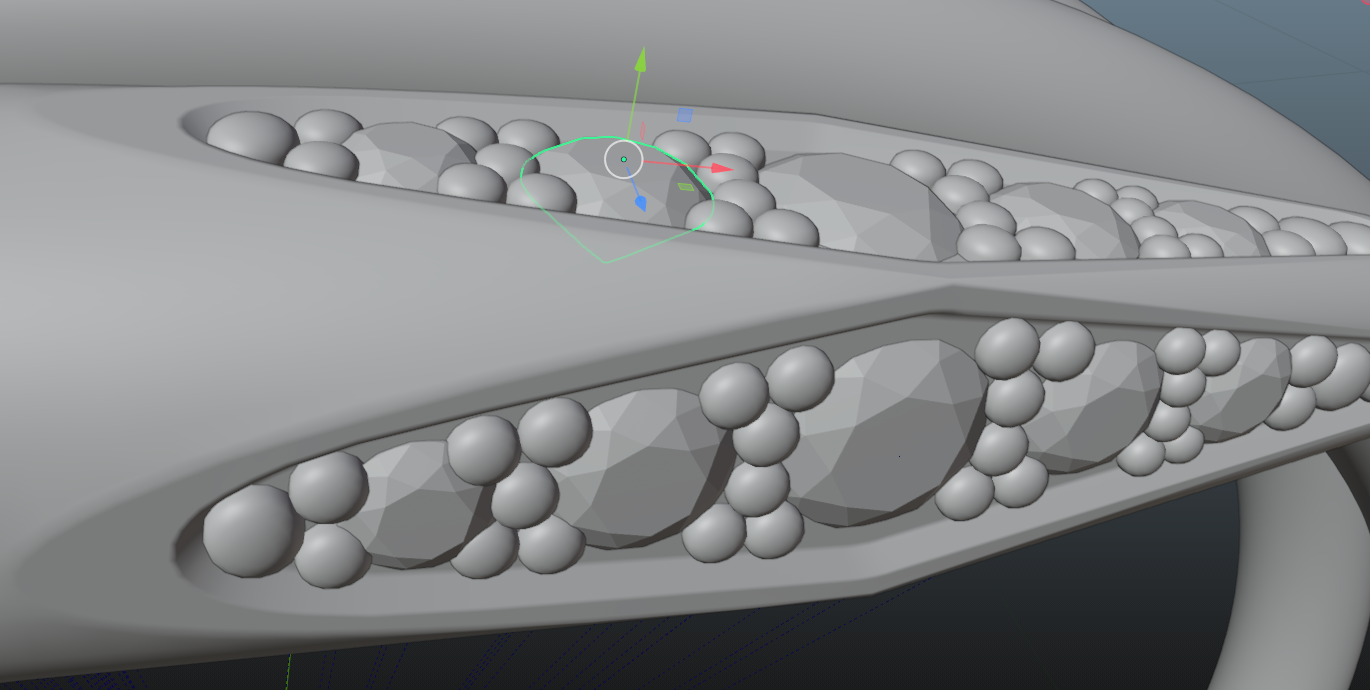
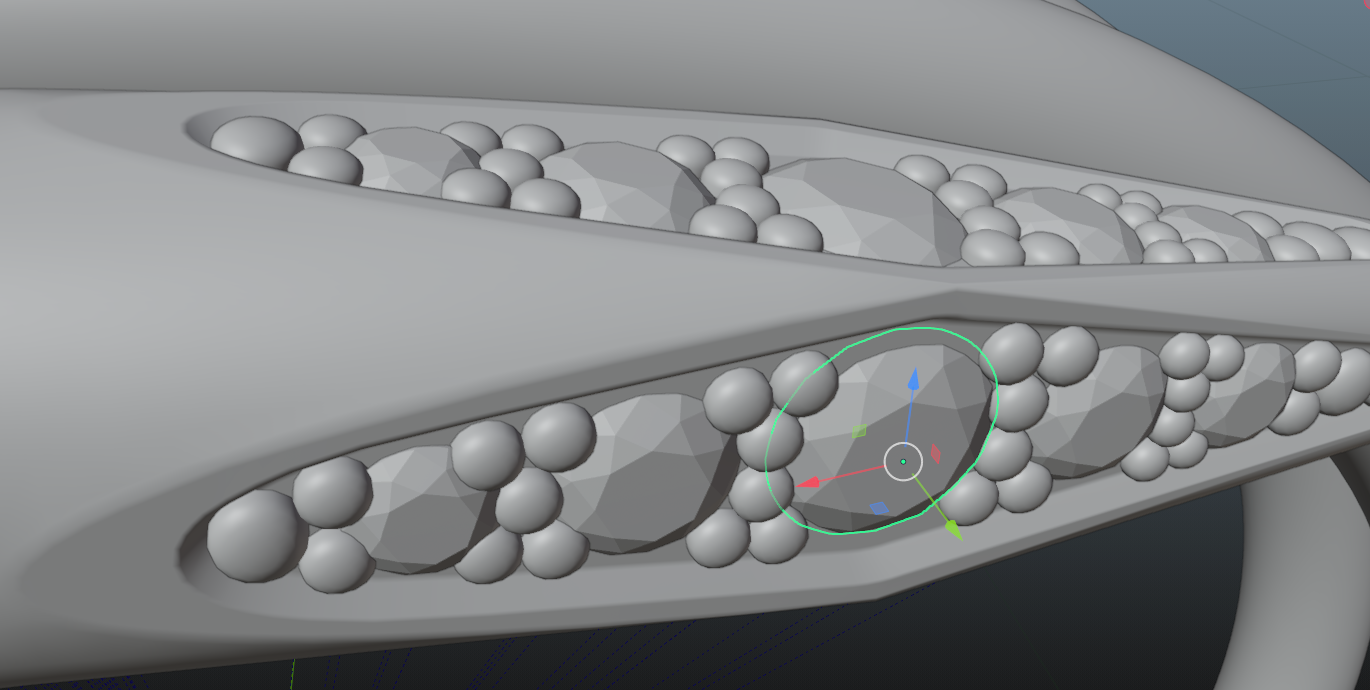
- All diamonds should be grouped based on their size. Similarly sized diamonds can be grouped. A good rule to follow is if the difference in size is less than 0.3 of scale, diamonds can be grouped, if the difference in size is greater than 0.3, they should be split into different groups. An example of good practice for grouping is presented in the next chapter.
- All part groups should have their own empty node to which they are parented.
- Avoid parenting parts to another geometry part, this creates issues in later integration. No grouping of diamonds to the metal base, they should have their separate empty object for grouping.
Naming parts, groups, and files
-
The naming convention is immensely important, and our QA has a zero-tolerance policy for this specification. Any assets that have auto-generated names ex. (mesh 001, object 345, etc.) and that do not have logical naming, will be returned for edits.
-
Part and group names should follow a simple logic, using underscores instead of space to connect the string of text. Names can contain only lowercase letters and no special characters.
-
Diamond shapes should always start with “diamond”, all lowercase, and always the same name. They can have large, medium, _small, as the second part of the name.
-
Names should be logical, and easily understandable. They should state, one of these properties for easier identification:
- Material type
- General Shape
- Color (if the part is available only in one color)
- Location (top, bottom, left, right, middle)
- Type of shader (Fur, Transparent)
-
Asset name should always be either an SKU or if we do not have an SKU, then the name of the product. It can contain lowercase and uppercase letters and numbers. No special characters. Ex:
- SKU123456
- metal_main
- metal_pins
- diamond
- diamond_large
- diamond_l_1
- diamond_l_2
- diamond_l_3
- diamond_l…
- diamond_medium
- diamond_m_1
- diamond_m_2
- diamond_m_3
- diamond_m…
- diamond_large
- SKU123456
-
Naming of empty nodes should also follow the same logic, it should better describe which parts are contained in the group.
-
File names should always have SKU_123456 format
-
Planes that represent shadow on the floor, should always be named “shadow_plane”
-
Groups need to contain two pieces of information:
- name, of the specific part of the asset it contains
- name of the material type
Transformation data and scale
- Before submitting the asset, please make sure all transform data has been applied/reset.
- The asset needs to be centered in the scene on the X,Y,Z axis origin. Rotation, transformation, and scale of the complete object and all its geometry parts need to be 0.
- The scale of the asset should be 1 on all axes. This is of great importance since assets are used in an AR environment, we need a real-life scale for all the assets.
- The native dimensions format for Threedium Platform is cm (centimeter).
- Jewelry items of the same type should all have the same position in the scene. This is something that needs to be specified by Threedium before starting the project. We will receive the necessary information from the client.
Ring sizes
- Different ring sizes need to be modeled separately
- Keep in mind the UVs need to be readjusted for different sizes
- For SKUs that are available in several different dimensions, depending on the end purpose, sizes can be delivered either as separate files or as groups within one file. Formatting and preparation of the FBX/GLB files will be specified beforehand by Threedium.
UV Unwrapping
General UV guide
- Ensure consistent texel density, unless otherwise specified by the project requirements.
- GLTF divides the asset along UV seams, and when the camera is observing from a long distance, UV seams can be seen. UV seams should be hidden when possible.
- UV islands should have no stretch or compression, in order to avoid loss of quality in textures. Recommended distance between UV islands:
- for 512x512 - 4px
- for 1024x1024 - 6px
- for 2048x2048 - 8px
- UV islands should not touch the borders of the UDIM tile
UV channels
- Channel 1 is reserved for standard mapping of material textures.
- Channel 2 is reserved for light and ambient occlusion maps.
- Every asset should include channel 2, which will contain a completely unwrapped asset on one UDIM tile. This is used for baking AO map that will be used as a “Global AO” map. This map is applied to all the parts of the asset regardless of specific materials.
- Multiple UDIM-s are not supported.
Unwrapping for tileable textures
- Preparing the UV-s for this kind of workflow, we need to first take into consideration the point above (2.2). Channel 2 = AO map.
- Channel 1 is now free to create a consistent UV space for applying tiled textures, such as fabrics.
- For tiled textures, UV transforms for all UV islands should be U 0.5 and V 0.5. This way we ensure that texture starts from the same point of the asset. UV islands should also have the same average scale, no different scale is allowed. This is easily checked with UV checkered texture. Please ensure this criteria is met perfectly, assets with incorrectly setup UV-s will be returned for edits.
Unwrapping for overlays
- Overlays are a feature on Threedium Platform that lets us render either, custom text or images on our asset. This system uses UV coordinates to do so.
- SKUs that have specified parts for engraving, embossing, or other types of customization by the end users, need to have those parts unwrapped in a specific manner to allow for easy overlay setup in Threedium Platform.
- This part should have centrally positioned islands since overlays are by default positioned on U 0.5 and V 0.5 coordinates. The idea is to have as small a number of transforms as possible to achieve the desired result.
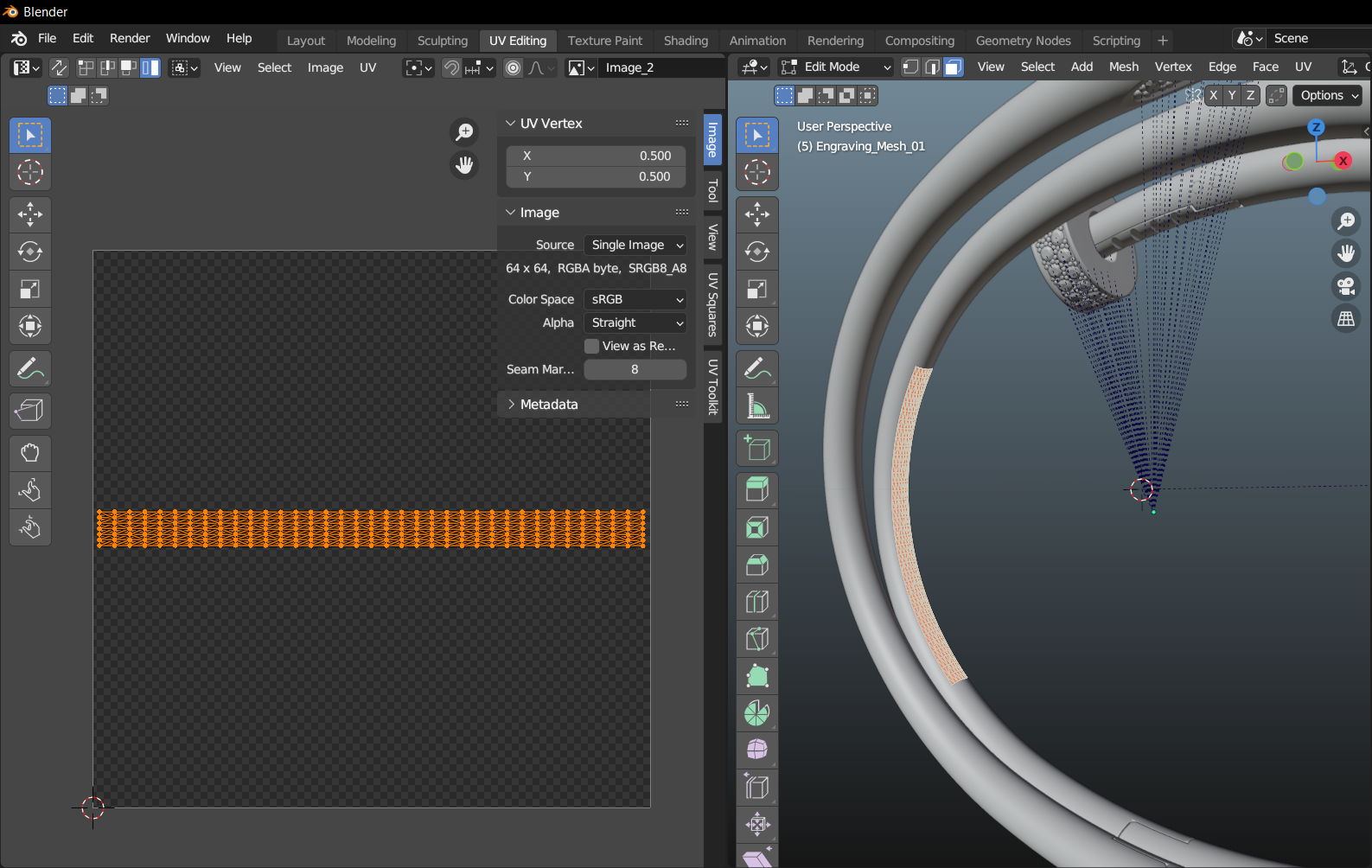
- In cases where assets have custom texture, overlays should be considered at the beginning of the unwrapping workflow, so they can be positioned properly.
Unwrapping for default engraving
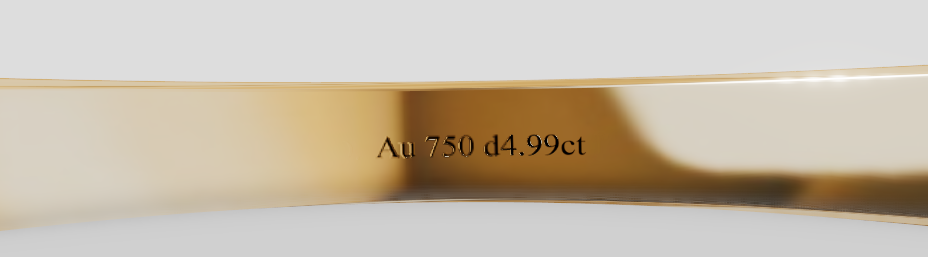
- Engravings that are not meant for any changes such as Logos, gold karat marks, and similar details, are preferred to be modeled, instead of using normal maps or overlay features in Threedium Platform.
- Mesh density can be increased in these areas. UVs should be fully relaxed.
- In these specific areas, we recommend scaling the islands (channel 2) beyond their average size compared to the rest of the UV, to increase AO details for engraved areas.
- When Unwrapping these areas, be extra careful to not disrupt the seamless flow of textures, while keeping stretching/compression of the UV island to the lowest possible minimum.
Unwrapping for default engraving
- Diamonds do not require any unwrapping since our special shader works using geometry information. However, it is a good practice to do a simple unwrap and stack the diamond islands in the same position. This is very useful for us when the asset needs to be used outside of Threedium Platform.
- For metal parts, UVs need to comply with the same logic as for point 2.4, since it is likely that some metal parts will have an engraving feature added through overlays.
Materials
General Textures guide
- Texture size should not go above 2048x2048. Higher resolutions can impact performance on mobile devices.
- All textures need to be in the rules of 2. Ratios of the textures should be either 1:1 or 1:2, 2:1 3:1 etc… Here are some examples of some accepted texture formats:
- 512x512
- 1024x1024
- 2048x2048
- 1024x2048 (1:2)
- 512x1024 (2:1)
- We recommend keeping the texture ratio to 1:1, and using other ratios only when unavoidable.
- We support PNG, JPG, and HDR textures. PNG can contain transparency and it will be applied once the texture is applied in a diffuse color map slot.
- Normal maps should be kept in PNG format, converting them to JPG will result in a loss of subtle details
Decals and floater objects
- Make sure that floater planes are offset enough from the geometry part to avoid “z-fighting” effect
- For shadow textures, use Alpha map to ensure a good quality of blending with the background
- For blending modes use Alpha Clip, or Alpha Blend
- Group all the logo/branding on one set of textures if possible
Branding and logos
- Logos/branding should have the highest possible quality, we recommend one texture set in 512x512 image size.
- If there is a need for higher-resolution textures we suggest breaking up the logo/branding into multiple texture sets, especially if they cover a large portion of the asset. When that is not possible, use up to one texture set of 2048x2048 for logos.
- If SVG files are not available we suggest recreating them and using them as a base for logo/branding textures.
Ambient Occlusion maps
- Global AO map should not exceed 2048x2048 resolution, individual maps, can have lower resolutions if they are done for specific parts of the asset.
- Pay attention to the details such as branding, marks, and logos, AO can elevate the appearance and quality of these parts greatly.
Reusable texture format
- Polished metals should only contain diffuse color parameters. We are using specific Environment maps for Gold, Silver, Rose gold, Platinum, etc. within Threedium Platform.
- We prefer tileable texture formats, that can be shared across multiple assets
- Use custom-baked textures only for unique assets or parts
- Every tileable texture set should have a Normal, Metalness, and Roughness map. Diffuse can be controlled by color parameters, especially if there are color variations for that material.
- Diamond material is a custom shader in Threedium Platform and it does not require any texture map, however, if the model is specified to be used outside of the Threedium Platform environment, diamond texture should be applied.
Transparent materials
- For transparent parts of the mesh, we support alpha, transmission, and thickness maps.
- Coat and coat roughness (maps or integer) can add more details to otherwise flat-surfaced materials.
- For glass or crystal parts, use offset double mesh to make the object appear thick.
Animations
- Some clients can specify boxing/unboxing animation of the jewelry. This is usually done with configurable experience.
- The geometry of the box should have a sufficient triangle count and no oversimplification of the mesh.
- Textures of the box, should not be of lower quality
- The box triangle count does not go into the total triangle count for the ring asset
- The box should be delivered as a separate GLB or FBX
- Two separate animation sequences are needed, open and close.
- The inside of the box should be modeled carefully to realistically represent the plushness of the cushion for jewelry.